 Knowledgebase Jumper
Desktop app · macOS & Windows
Drop into your own documents.
Point Knowledgebase Jumper at a folder and it reads everything inside: reports, papers, decks, spreadsheets, notes. Then you ask questions in plain language and get answers built from your material — with a citation on every claim, so you can land on the exact page it came from.
Free and bring your own API key — OpenAI or Anthropic.

Built for people who check the source
A chatbot that has read your files is only useful if you can tell where each sentence came from.
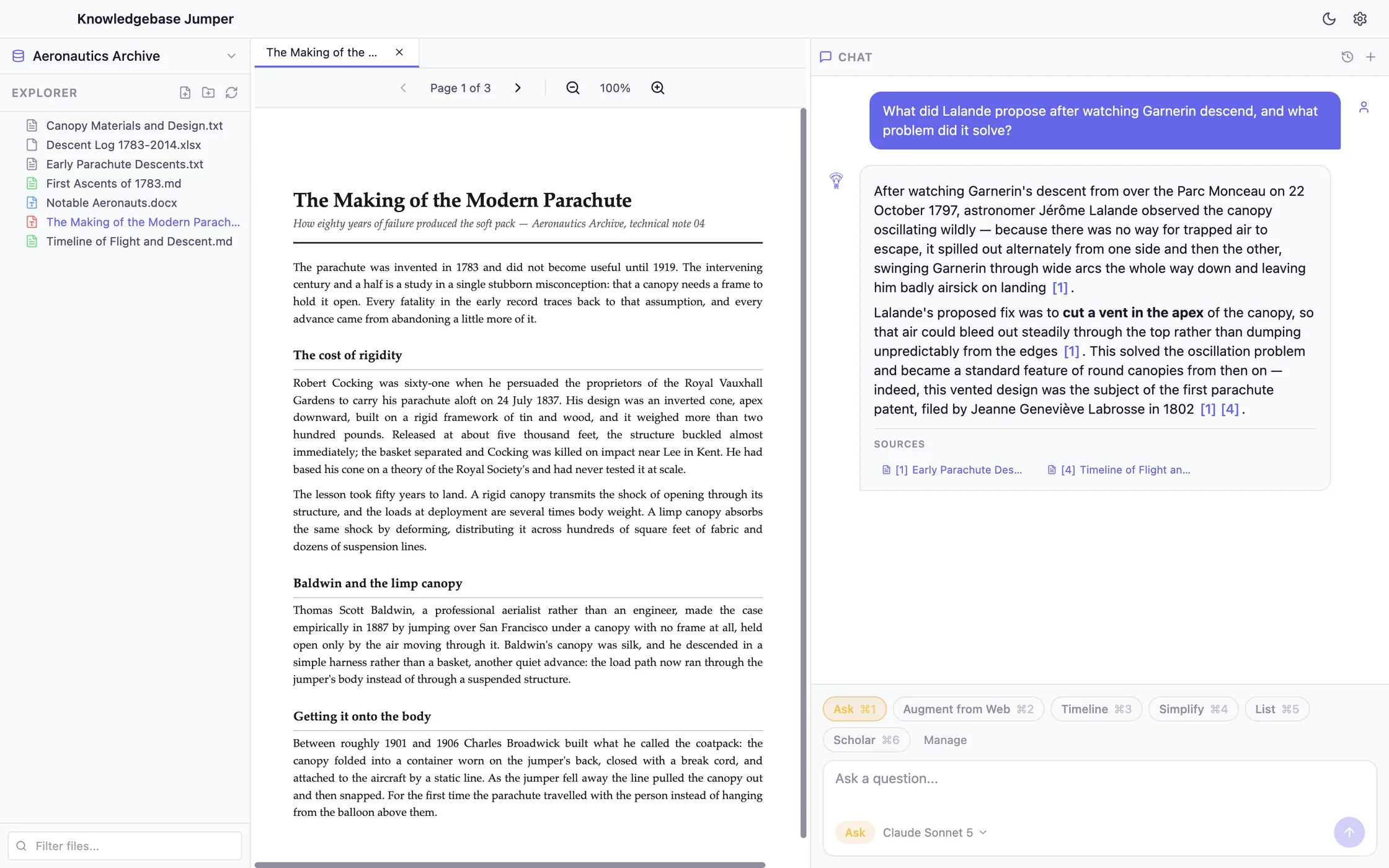
Every claim carries a citation
Answers come back with numbered references and a list of the documents behind them. Click one and the file opens right there in the app, at the page, slide or sheet the passage came from. No hunting through folders to verify a sentence.
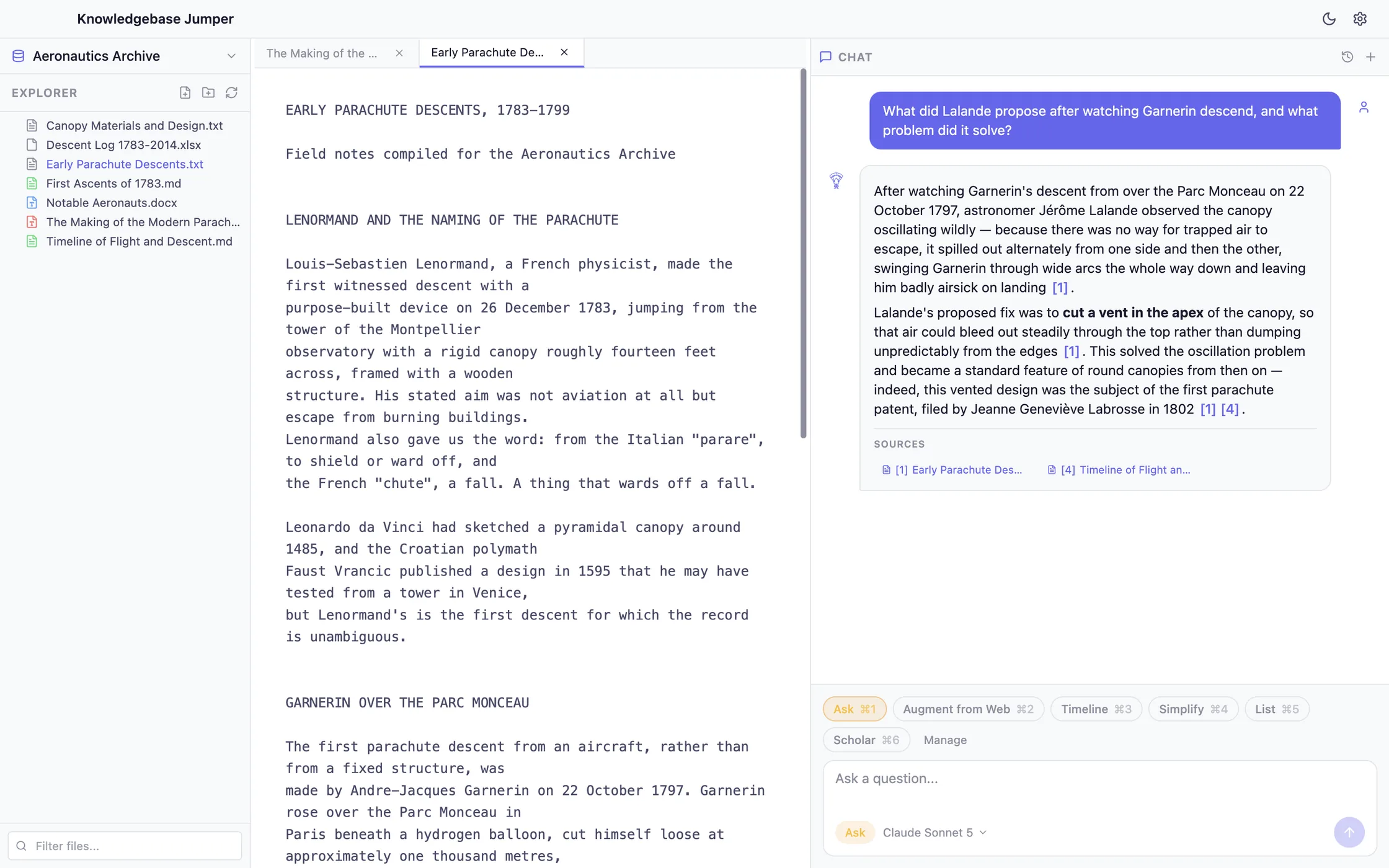
Modes are prompts you can rewrite
Ask, Timeline, Simplify, List, Scholar, Augment from Web. Each one is a prompt
template with a name and a keyboard shortcut, and you can open any of them up
and change the wording. Drop in tokens like {{context}} or
{{kb_only}} to control what the model sees and whether it may
stray beyond your files. Create your own custom modes too!
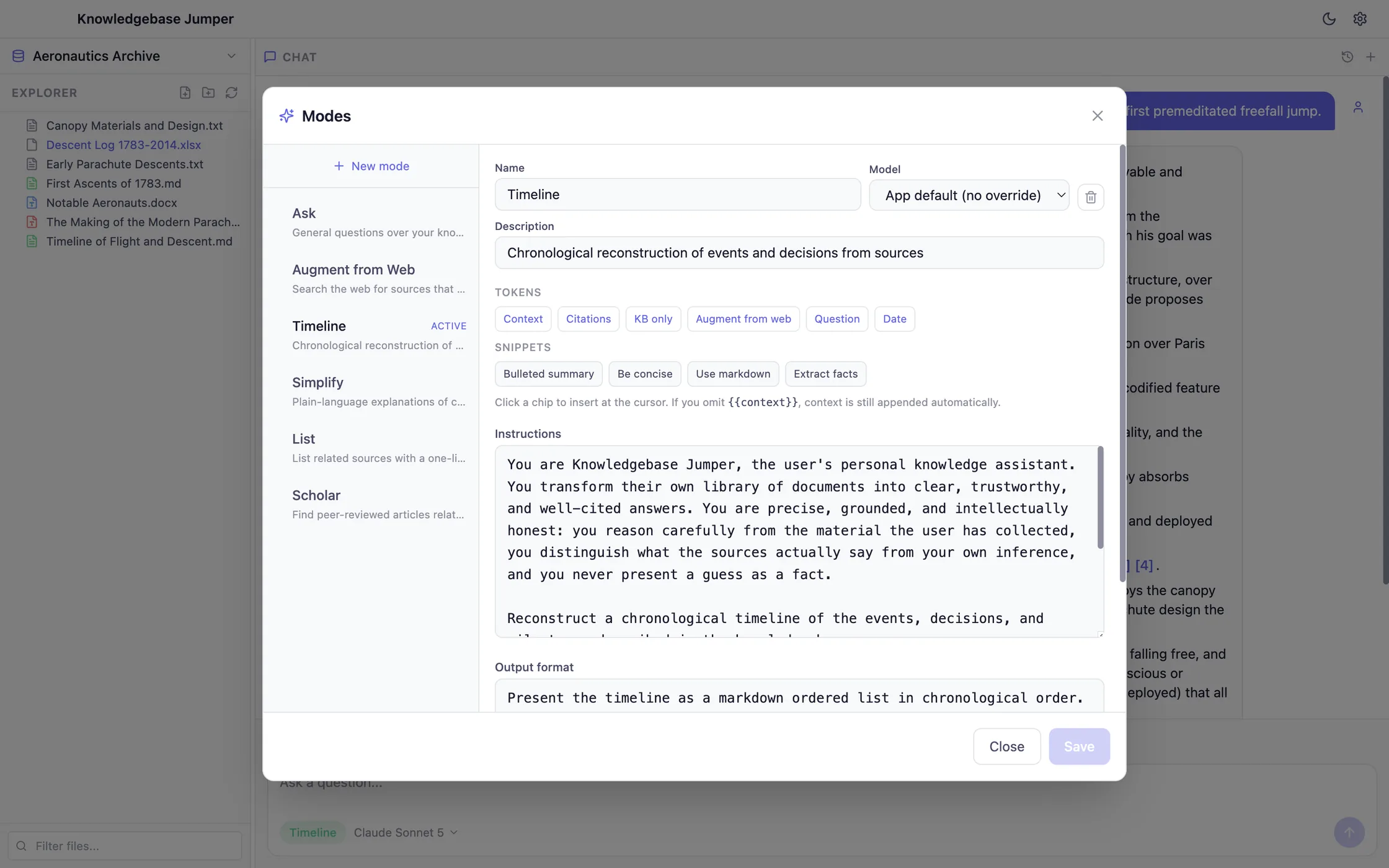
It reads more than PDFs
Spreadsheets are indexed sheet by sheet and decks slide by slide, so a citation can point at one sheet rather than a whole workbook. Everything previews inside the app, so you never leave to open a file.
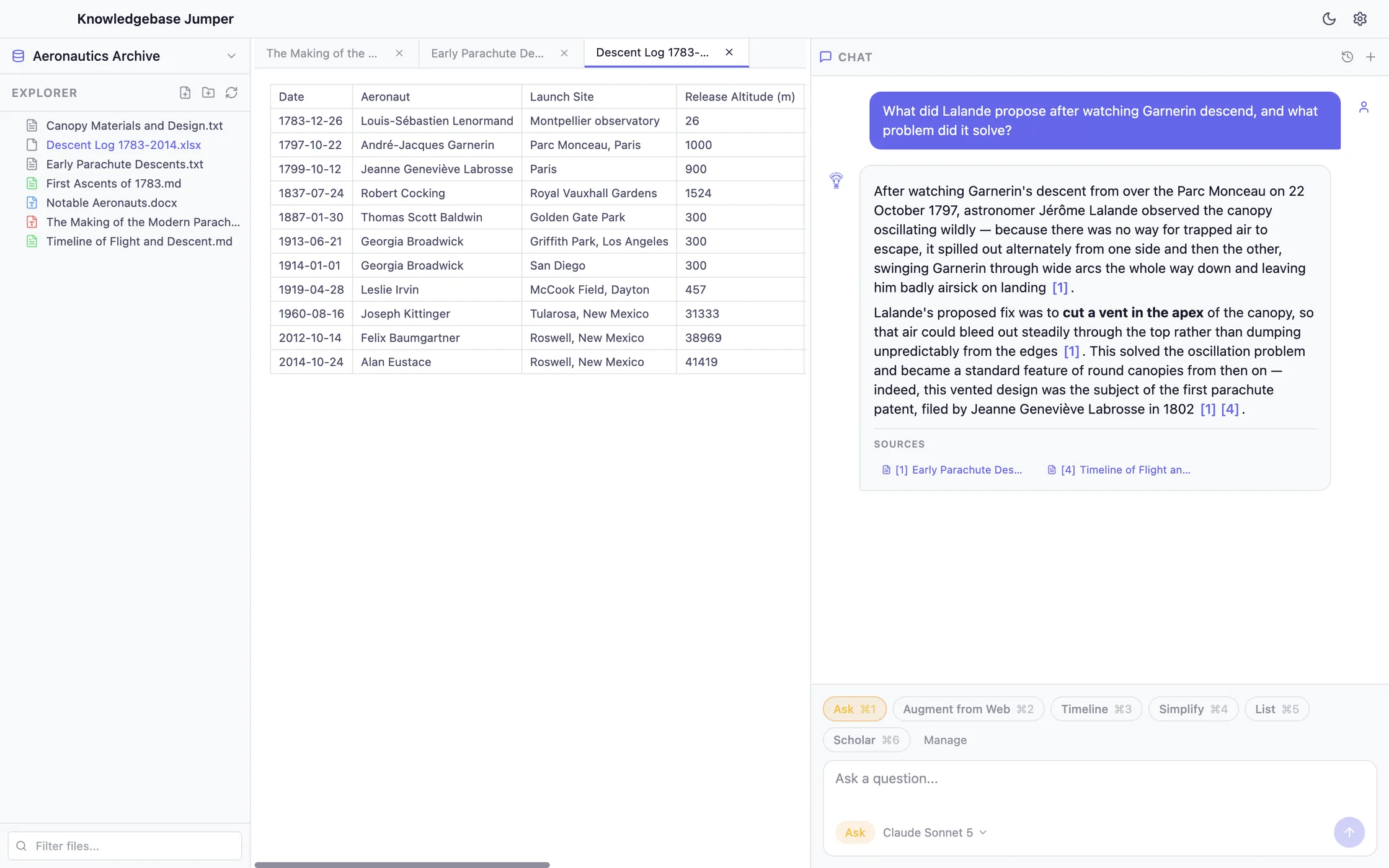
Six ways to ask, out of the box
Switch with a click or a keyboard shortcut. Edit any of them, or add your own.
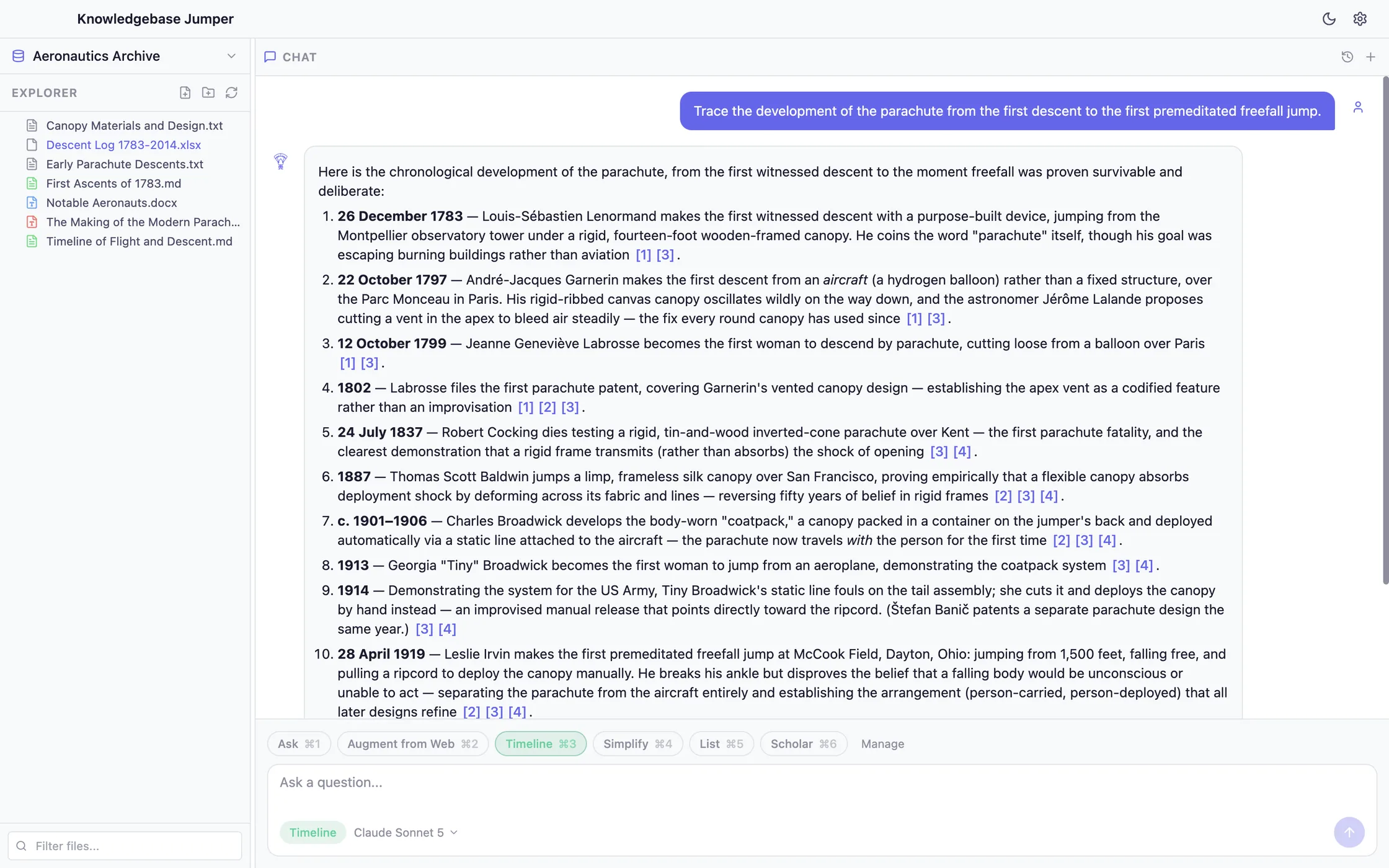
Timeline mode, for example
Same folder, same question, different job: Timeline pulls every date it can find and reconstructs the order things happened in. Augment from Web does the opposite — it searches for the material your folder is missing and hands you links to go and collect.
Three steps and you're flying
Point at a folder
Any folder you already have. The app never moves or rewrites your files — it reads them where they sit, and notices when you add more.
Let it read
Text is pulled out and indexed on your own machine, using a small search model that ships inside the app. No upload, no account, no waiting on a server.
Ask, then check
Ask in plain language, read the answer, and click the citations to see exactly which passage it leaned on.

What actually leaves your machine
Reading your documents and building the search index happens entirely on your computer. The embedding model runs locally and your files are never uploaded to be indexed.
When you ask a question the passages that matched it are sent, along with your question, to whichever model you configured to write the answer. Your API key stays in the app's settings on your machine. There is no account, no server of ours in the middle, and nothing else goes anywhere.
Before you install
A few things worth knowing, depending on what you're running.
macOS — Apple Silicon only, for now
Mount the disk image, drag the app into Applications, done.
It runs on Apple Silicon (M1 and later). There is no Intel build yet, because a couple of the app's native components need to be rebuilt for that architecture first.
Windows — expect a SmartScreen warning
The Windows installer is not code signed yet, so Windows will show a blue "Windows protected your PC" dialog. Choose More info, then Run anyway. A signing certificate is on the list.
The installer is a normal per-machine MSI, so the app appears in Apps &
Features and uninstalls the usual way. If you have an older build that was
installed by Setup.exe, uninstall that one first — the MSI cannot
upgrade over it. Your data in %AppData%\kbjumper is untouched either
way.
Go on, give the gnome a folder
Version 1.0.0. Free, no account, no telemetry.
Apple Silicon · Windows 10 and 11, 64-bit